Tune In: 

Back on air soon!


Our live radio broadcasts are currently on hiatus while we work on improvements to Sanitarium.FM's core services. For further information, visit our Discord.

 Your Sanitarium.FM Account 


Today
  • 6pm - Auto DJ
  • 9pm - Auto DJ

Tomorrow
  • 12am - Auto DJ
  • 3am - Auto DJ
  • 6am - Auto DJ


 Support The Sanitarium.FM! 

Become a Patron!
Or donate to us via PayPal:


Sanitarium.FM - because the Easy mode is for babies.
Sanitarium.FM Site Search:  
Indie Game Review: Eets Munchies

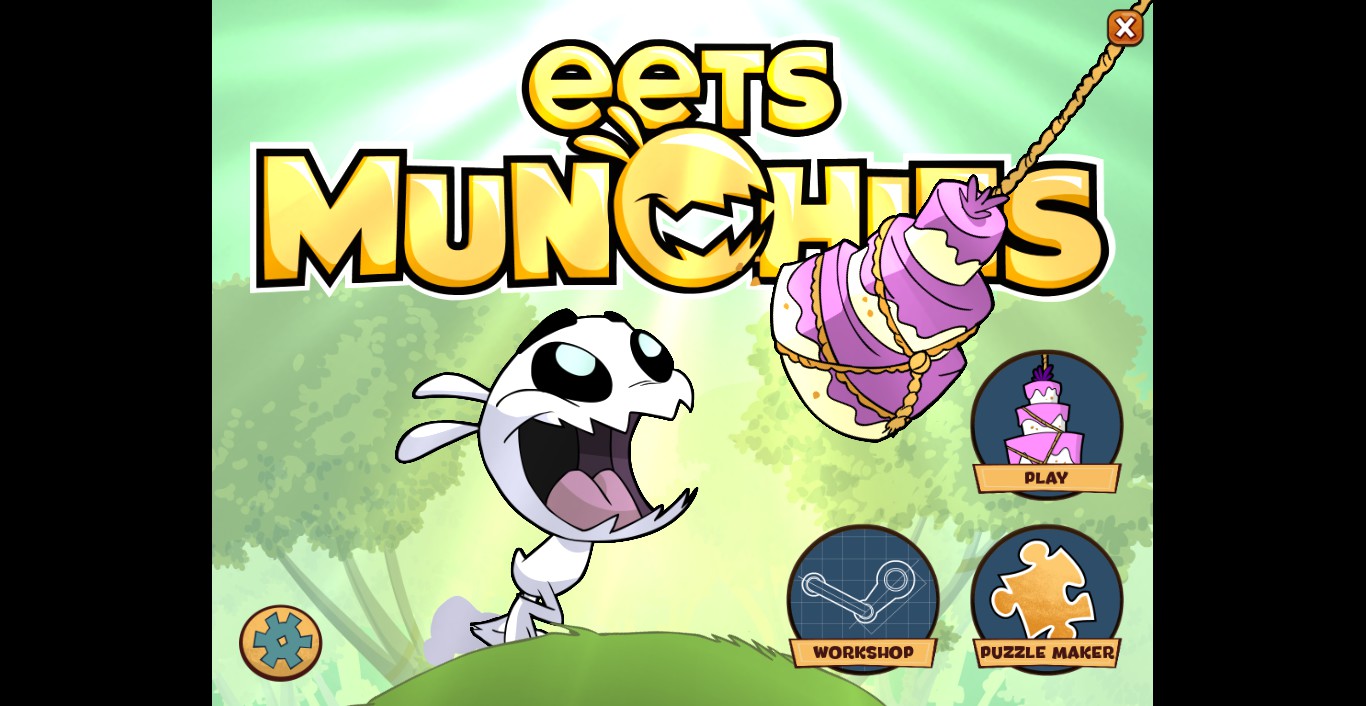
This week I tried a recent addition to Steam. The Puzzle game called Eets Munchies. Eets Munchies is about a little creature that looks much like a mix between a rabbit and a piranha, who always seems to be hungry for sweets.


Eets Munchies 1


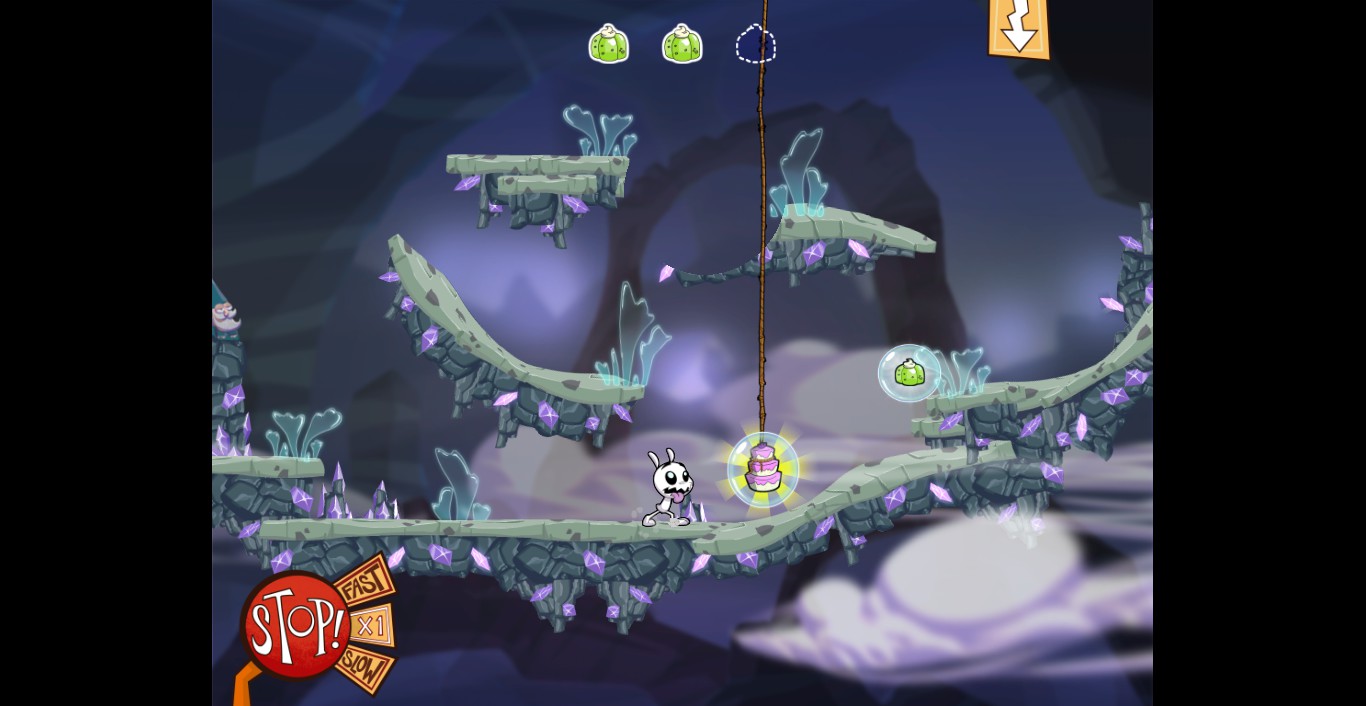
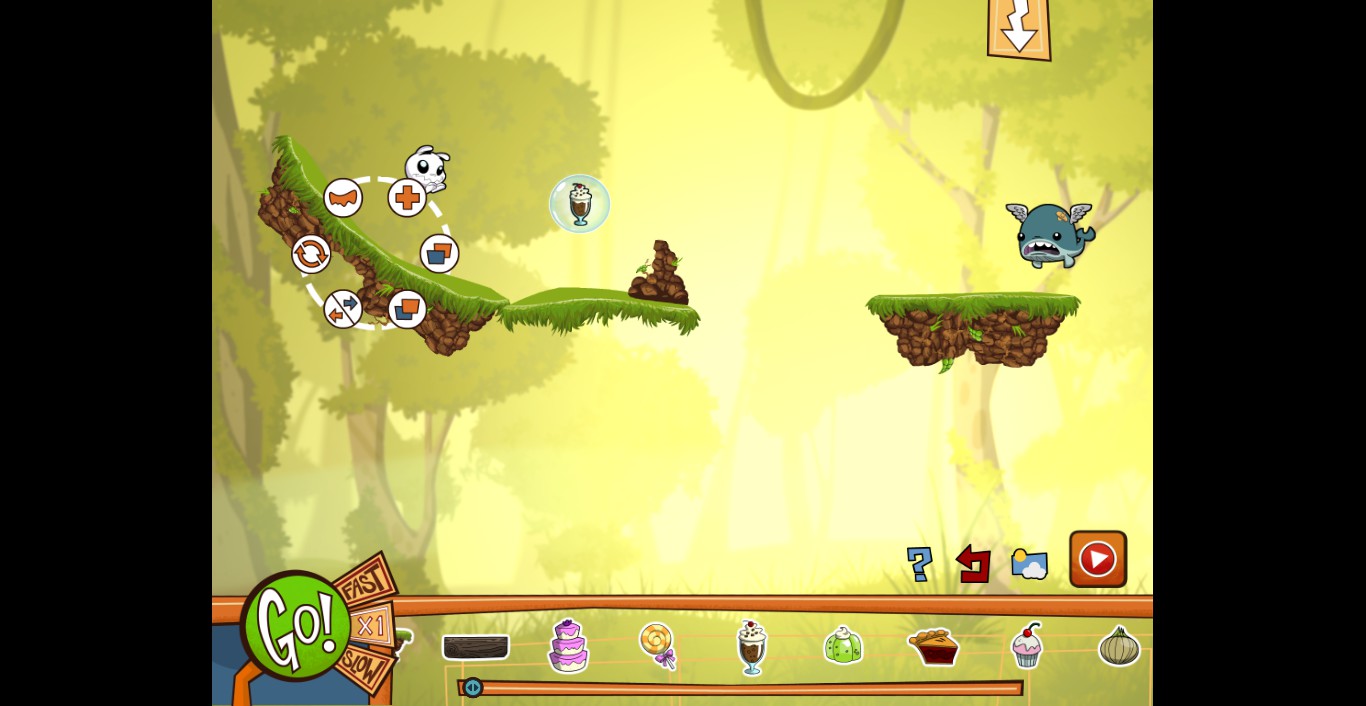
At first when I looked up screenshots of the game I thought it may be a platformer game where you control the little creature. But actually it is quite the opposite. The little guy moves on his own and you need to influence what he does and where he goes by placing items and environmental pieces, as well as interacting with the different things in the level to help him get to the 3 treats and lastly the cake at the end.
But as the game reminds you at times, it’s easy to get 1 or 2 of the treats, but getting all 3 before going to the cake is supposed to be the challenge. Because if you don’t do the right things, the little creature could end up going after the cake before you get all the treats in the area.


Eets Munchies 2


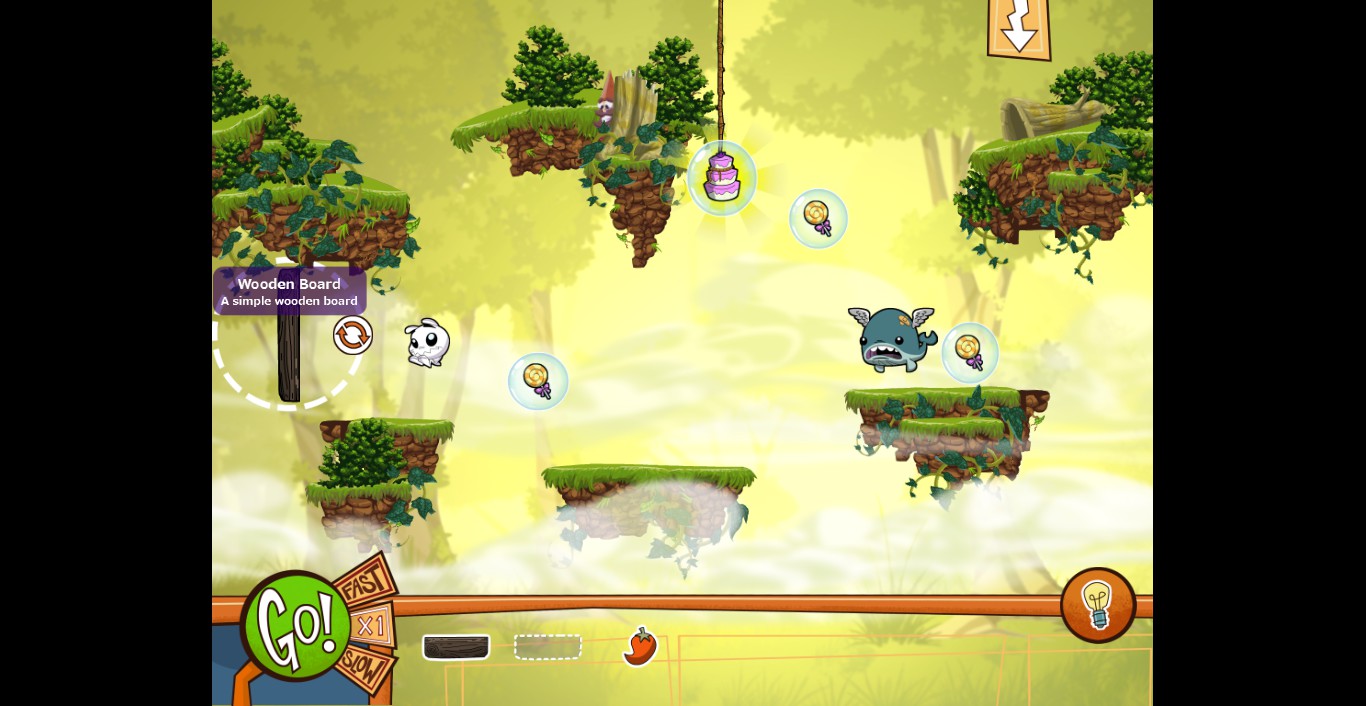
So this is how the game works. You start a level where everything, including the creature, is frozen in place. In this time you need to place the items they give you some place in the level where it could help the little guy go where it needs to go. These items include wood boards that can bridge gaps or block areas off, a flying whale that can inhale the little creature or other items and launch them in the direction its facing, bombs that explode when they come in contact with something, arrows that can dictate what direction certain items go, and many more items that you unlock as you go. There are also items that the creature can eat as well that affects how it moves. Like an onion that makes it unable to jump, a pepper that allows it to jump further and a cupcake that changes him back to normal.


Eets Munchies 3


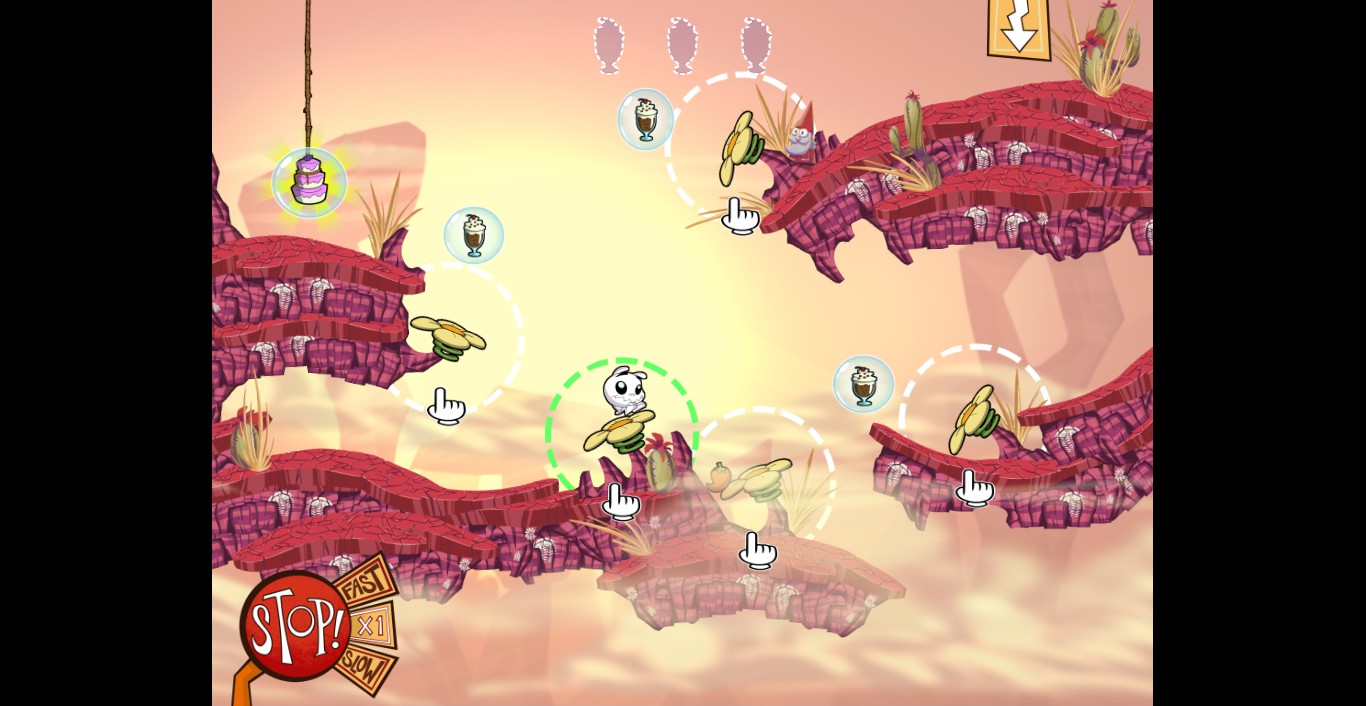
Once you have the items where you want them you can then hit a button which puts everything, including the creature, in motion. While you can’t move the little guy around yourself, you can use some of the items in the environment that you either placed or were already there to move it or items around. While things are in motion you can click items like a spring flower which bounces things around, or click the flying whale to inhale the creature and items to shoot it in a certain direction.


Eets Munchies 4


Quite often you will fail a level, but don’t worry. This could happen if the creature jumps off into the void or if it doesn’t get all the treats before the cakes. You can restart the level anytime, no problem. In this game you practically need to experiment sometimes to see what works. This can take many tries. But all in all the puzzles aren’t too complicated. Once in a while you will get stuck on a puzzle or two but when you figure them out it feels good.

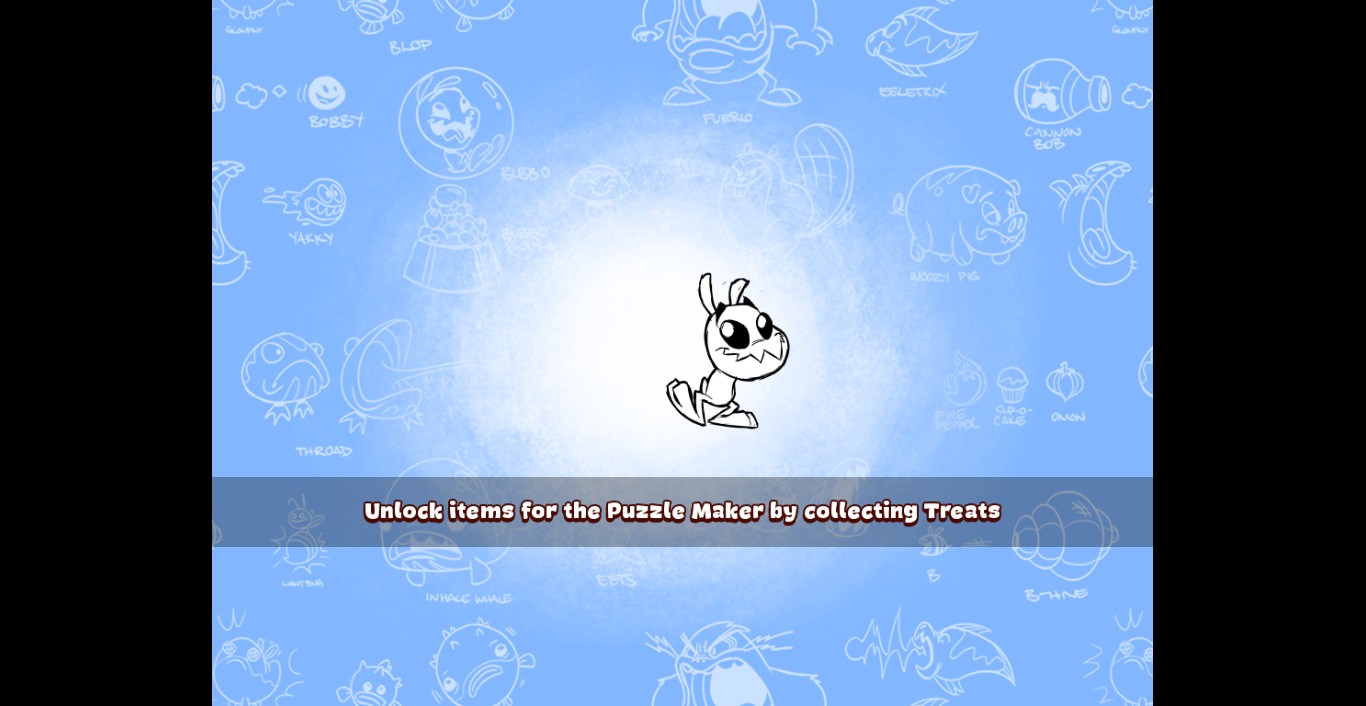
If puzzle solving is not enough for you, the game also has a built in level creator which allows you to make and share your own puzzles on steam.


Eets Munchies 5


One thing I do like about this game is the art style. It has a nice hand drawn cartoon look to it and the animation is really nice. Even the music supports that style. I can’t help but love the look of the main character. It looks cute but it also looks like it will bite your hand off if you got to close to it. 😉


Eets Munchies 6


Another thing that you would notice with this game when you first open it is that it is locked to a certain screen resolution. The resolution makes it look like it is more fit to play on an iPad then a computer. But then this game is also available on iTunes as well as Steam, so that may explain it. And while it would be nice to be able to change it, how the levels are laid out, it’s not too big of a problem.


So all in all I would recommend this game to anyone who loves puzzle games and who wants a game that they can jump in and out off quite easily. It’s a nice game to pick up if you want to spend a few moments figuring out things in a constructive mode where everything affects everything else. Otherwise this may not be the game for you.


You can get Eets Munchies on Steam and iTunes. (Steam currently has a deal where you get 20% off if you own any other Klei Entertainment games on Steam including: Don’t Starve, Shank, and the original Eets)


Check out the trailer:


March 20th, 2014 by
Posted in Gaming, General, Multiplatform | No Comments »

GDC 2014: Mighty No. 9 releases a Gameplay Trailer

Keiji Inafune’s spiritual Mega Man successor game, Mighty No. 9, has rode the hype train rather conservatively since its phenomenally successful Kickstarter campaign, with leaks of new info perfectly timed for just when people may have forgotten about the project while its development continues apace; and until now, not very much is known about the game at all. Today however, as part of a talk given at GDC this year, Keiji Inafune revealed a short gameplay trailer for Mighty No. 9 which fleshes out the game’s details a reasonable amount.


After previous screenshots showed hero Beck redesigned in a 2.5D graphical style and standing on a 3D stage, the latest trailer reveals that the entire game is now being developed in a 2.5D viewpoint not unlike the Classic Sonic stages in Sonic Generations. Also seen in the trailer is some new Action mechanics including what looks to be some combo attack possibilities; as well as some more platforming action. We’ve even got some new animations being shown off – the “hanging from a ledge” animation at 1:28 is particularly adorable. But perhaps the biggest news is we’ve got concept art and basic biographies for all of the other eight “Mighty” robots Beck will encounter in the game; and even hints towards a rudimentary storyline:


Exciting!


March 20th, 2014 by CrimsonShade
Posted in Gaming, Multiplatform, Nintendo, PC, Playstation, Xbox | No Comments »

GDC 2014: Second-Gen Rift coming – Oculus announce the DK2

VR fans take note! Oculus have announced today at the Game Developers Conference in San Francisco that they are working on a second-generation version of their hardware the Oculus Rift, currently available only as a developer kit (called the DK2) for the moment.


The Oculus Rift has recently been making waves in the gaming community for actually being a fairly decent step forward in the process of developing Virtual Reality gaming into something that is actually feasible and attractive to both developers and customers. The apparatus is worn across the eyes and actually does a decent job in throwing the player into the middle of the gaming environment of the number of games that have support for it built in. However, there were still some issues experienced, chief of which was ‘simulation sickness’ which although mostly absent couldn’t be fully removed from the first-generation version of the hardware as well as still being somewhat bulky and wired up. The second-generation Oculus Rift is being developed with the feedback in mind.


For a start the resolution of each of the two fields of vision in the Rift have been upped to 960×1080 and includes a custom built camera that faces the player to track motion depth, which also reduces the number of wires required. There is only the one cable connected to the apparatus now which splits into a HDMI cable and a USB cable to provide both video and power through the one wire. The DK2 reduces the motion blur and judder that were pinpointed as the two main causes of simulation sickness by Oculus by employing low-persistence OLED. It will also ship with a built-in latency tester and an SDK with engine integrations available for the Unreal Development Kit, Unity 4 and Unreal Engine 4, which Epic Games has just made available to more developers through a subscription system.


Oculus say that the DK2 isn’t identical to the consumer version of the Rift that’s coming, but it is similar enough and has all the important pieces, so games that get developed using the DK2 will still play the same on the consumer version later, although Oculus is hoping to make the VR experience even better for the consumer Rift.  Although there is no announced release date for the actual second-generation Rift, there’s a possibility that development might be sped up a little with the recent announcement from Sony that they are planning to make their own competing VR headset called ‘Project Morpheus’ although it too is still in development with no price or release date available.


Oculus are making the DK2 available to people who pre-order the developer kit for $350 and plan to start shipping it out to those people in July.


Oculus blog post announcing the DK2 is here.

Oculus DK2 can be pre-ordered here.


March 19th, 2014 by
Posted in Gaming, General, PC, Technology | No Comments »

GDC 2014: Unreal Engine 4 to be made available to the public

Epic Games has announced at the Game Developers Conference that they are planning to make the popular next-generation version of their game engine, the Unreal Engine 4, available to the public in a subscription-based model that will involved a 5 percent royalty agreement in gross sales that come from games made using it.


AAA devs have had access to Unreal Engine for a while now but now Epic Games have decided to make it available for smaller developers to use too, with the subscription set to be around $19 a month. The agreement to take 5 percent gross sale royalties also applies to free-to-play games that include micro-transactions but not to games that are totally free and for fun. Previously larger devs would be in negotiations that took weeks or even months and involved many millions of dollars but Epic’s desire to make their engine more accessible to all has required them to draft the entirely new business model they have presented at the GDC.


“You get access to everything: the unreal editor, for PC and Mac, and on those platforms you can then deploy to iOS and Android. All those platforms stay and more are coming in the future,” Tim Sweeney, the founder of Epic Games said during the presentation.


The source code of the Unreal Engine 4 is also being released in the hopes that it will encourage tinkering and optimisation of the code by the gaming community to further improve the engine’s performance and use for better, smaller games made within it. Already it’s been demonstrated that changes to a game can be made in real-time either during test play or simulation mode.


It seems with the face of the gaming industry steadily becoming one where free-to-play, mobile and indie gaming is quickly becoming a very profitable and notable market, Epic’s bold move could be seen as their attempt to get a piece of the action through their simple but all-encompassing royalty agreement tied to the new public licensing of their engine. It is also their attempt to stay relevant in an industry where competitors such as Unity offer multi-platform engines that cover everything from HTML5 browser games all the way up to AAA titles.


Sweeney described the new business model as a “bold, new move” for Epic Games, and it’s certainly one that will get the attention and praise of many a small developer looking to make their ideas a reality.


March 19th, 2014 by
Posted in Gaming, General, Multiplatform, Technology | No Comments »

SimCity Update 10 and Single-Player Mode Released

So, the latest SimCity patch including offline play has dropped…   What do you think?


After reading this thread and trying out Update 10 please use the following links for feedback and additional questions:


Update 10 Feedback Thread – http://forum.ea.com/eaforum/posts/list/0/10023457.page
Offline additional Questions – http://forum.ea.com/eaforum/posts/list/0/10023459.page


Q: How do I play SimCity offline?
A: The new Single-Player Mode allows you to play SimCity anytime, anywhere, without the need of an active Internet connection. For the full details please read our blog post here – http://www.simcity.com/en_US/blog/article/simcity-…y-now-available-for-pc-and-mac.


Q: How do I download the Single-Player Mode for SimCity?
A: The Single-Player Mode will be included as part of Update 10 at no additional cost. This will be available to all current and future players on PC and Mac starting March 18, 2014.


Q: Will I still require an Internet connection to play?
A: An Internet connection is required to download Update 10 when it becomes available on March 18, 2014. You will not require an active Internet connection to play SimCity offline in the Single-Player Mode.


Q: Can I still play the game Online?
A: Yes, the Online game and all of its features are still intact. This includes Multiplayer, SimCity World and Online Save Games.


Q: Will my previous Downloadable Content (DLC) be playable in the Single-Player Mode?
A: Yes. All of your previous DLC is available for use in both the Single-Player Mode and Multiplayer Mode.


Q: Do I need an Origin Account to play?
A: Yes, you use Origin to download and launch SimCity. Once you’ve installed Update 10, you can put Origin into offline mode when you are playing Single-Player Mode.


Q: How do I put Origin into Offline Mode?
A: To put Origin in Offline mode, log in to the Origin client and select: Origin>Go Offline


Q: Do I need to login to Origin online in order to play the Single-Player Mode?
A: No. If you do not have an active internet connection, you can put Origin in the offline Mode and play SimCity offline in the Single-Player Mode.


Q: What features are available in Single-Player Mode?
A: Single-Player Mode allows for a multi-city Single-Player experience without requiring an internet connection. All region maps are available in Single-Player Mode. Since Single-Player Mode does not require a persistent internet connection, Leaderboards, Citylog, Achievements, Friends List, Player Profile, the Region Wall, and region invites are not available in Single-Player Mode. The Global Market will be available in Single-Player Mode, but prices will be fixed.


Q: What are the requirements to play in Multiplayer mode?
A: The requirements to play Multiplayer have not changed. An Internet connection is required to play Multiplayer mode, Origin must be running in online mode and SimCity must be updated to the latest version.


Q: Can I transfer my regions between modes?
A: No. Single-Player and Multiplayer are separate modes and regions cannot be transferred between modes.


Q: Where are Single-Player regions saved?
A: Single-Player regions are saved locally, not on the server.
You can find your regions on PC here: \Documents\SimCity\Games\~ID NUMBER~\
You can find your regions on Mac here: Go->Documents->SimCity -> Games -> ~ID NUMBER~


Q: If I uninstall or change machines, can I transfer my Single-Player Mode regions to the new install or Machine?
A: If you uninstall SimCity, your saved games will still be available. However if you change machines, you will need to manually move your game files to the games file location on your new machine.


Q: Can I move my Single-Player Mode saved game from my PC to Mac and vice versa?
A: Yes, you can transfer your Single-Player Mode saved games between PC and Mac.


Q: How many regions can I have?
A: There is no limit to the number of saved regions a player can have in Single-Player Mode. The file size of your regions will vary depending on density and population of your cities.


Q: How do saves work in Single-Player Mode?
A: Autosave is on by default and saves your region every ten minutes. Your region is also automatically saved if you quit your region or switch to another city in the region. To disable Autosave, go to the Options menu > Settings > Gameplay tab and uncheck “Enable Autosave in Single-Player Mode”. Disabling Autosave will allow you to save at points you want to save at. If Autosave is disabled, you will be asked if you would like to save your region when you quit or switch to another city in the region.


You can manually save your region at any time by pressing “Save Game” from the options menu.


Q: How do I rollback my regions? How do I make a copy of my region?
A: If Autosave is disabled, you can save your region at a certain point and then experiment with your region. If you wish to go back to a previous save point, you can choose not to save your region when exiting the game. If you load that region from the main menu or resume page, it will load from the last saved point.
If you would like to make a copy of your region, press “Save As…” from the options menu. You will be prompted to name the copy of your region. This gives you the control to come up with a naming convention that works for you for your copied version. Once you submit that name, you will load the copy of the region. The original region will remain at the last saved point. You can access the original or the copy from the Main Menu in the Play tab.


Q: What cheats are available in Single-Player Mode?
A: Existing live cheats are available in Sandbox regions while playing Single-Player Mode. The following cheats are available in Single-Player Mode in non-Sandbox games.
Add §10,000 to City budget. Windows: CTRL + ALT + W OS X: CTRL + ALT + W
Add §5,000 per hour to City budget. Windows: CTRL + ALT + S OS X: CTRL + ALT + S
Add §100,000 per hour to City budget. Windows: ALT + W OS X: ALT + S
Disasters are unlocked in Single-Player Mode.


Remember we also have an active SimCity region you can join, just add Lonesamurai as a friend on Origin for an invite


March 19th, 2014 by Lonesamurai
Posted in Gaming, General, PC, Real Time Strategy, Technology | No Comments »

« Previous Entries Next Entries »