Our live radio broadcasts are currently on hiatus while we work on improvements to Sanitarium.FM's core services. For further information, visit our Discord.
Hot on the heels of Starbound’s last big update comes their latest patch entitled “Indignant Koala”.
The patch comes with many fixes as well as an awful lot of balancing. Among the things balanced are the strength of early armours such as copper, the effectiveness of shields (which had a tendacy to be useless before) and melee weaponry. The update also nerfed ‘bird’-type monsters to reduce their projectile range as well as to stop them chasing players across a map and made players invincible in their own ships (an update that comes as a result of traps being set on the telepad spawn point in a ship leading to a character never being able to respawn at all). Although this isn’t a wipe-patch, it’s being recommended that players start a new game to be able to experience the new balances implemented.
Velocity Ultra by developer Futurlabs is a well-celebrated game already, having been quite popular on its original release on the Playstation Vita thanks to its interesting gameplay mechanics, fast pace and cool if not complicated graphics. The game is now being released on Steam by Curve Studios and I managed to get hold of a Steam code to see if this game had survived well on the trip between platforms.
For those of you who haven’t heard of the game, Velocity Ultra is a top-down space game that has you boosting, flying and teleporting your way around levels rescuing survivors while destroying hostile ships and security turrets with laser gun and bombs. The teleporting feature is used to move between areas that would usually be blocked off and although you can’t get hurt from banging into walls (which is unique in itself), the screen does move along with you and doesn’t stop if you do so try not to get crushed by the moving screen!
Now I’ve never had a Vita, so I’ve never played the original game but Ultra doesn’t seem to have suffered for the move. The graphics are crisp, the movement fluid and fast, the music great and the levels nicely challenging. The game starts with a launcher window that lets you choose windowed or fullscreen modes as well as having a tab to show the key bindings for each action, which I assume you can change. There’s also a diagram to show the button bindings for a controller which I think must be the better way to play the game. I didn’t do too badly with my keyboard and trackpad though and found myself unable to resist playing just one more level. Once you get into a rhythm the levels go amazingly smoothly and it’s this that keeps the game interesting. Just as it did the original from what I’ve heard.
Velocity Ultra will be available on Steam from December 12th.
Yesterday Mojang released the update that many have been waiting for since the announcement of it at Minecon last month, the 1.7.4 update that contains Twitch integration to allow players to stream Minecraft from within game.
I covered the first snapshot of this update a few weeks ago (linked at the end of this article) so I can confirm that the integration of the streaming website’s features is nicely optimised to work well with Minecraft. From within the options menu you can toggle and tweak video, broadcast, server and chat settings all from within game, the chat settings being an especially good idea in my view as someone who has had to moderate busy Twitch stream chatrooms before now. You can even choose to turn off the chat showing in-game altogether if you prefer not to see what’s being said.
The other major things in this update are the expected bug fixes and patches and fixing an issue with render distance not working correctly over 8.
I expect to see this new update being quite popular with the part of Mojang’s customer base who are very into streaming their Minecraftian adventures. I know I’ll certainly be making use of it if I can.
Starbound is a game that’s been coming for a long time, so when it finally became available in Beta form last Wednesday loads of people (who had pre-ordered) were immediately in-game testing and reporting back all the bugs of the early Beta. Although I’d only known about the game since August, when I saw it played at the Insomnia 49 event, I too was eagerly joining the crowds as we began out journey into this game…
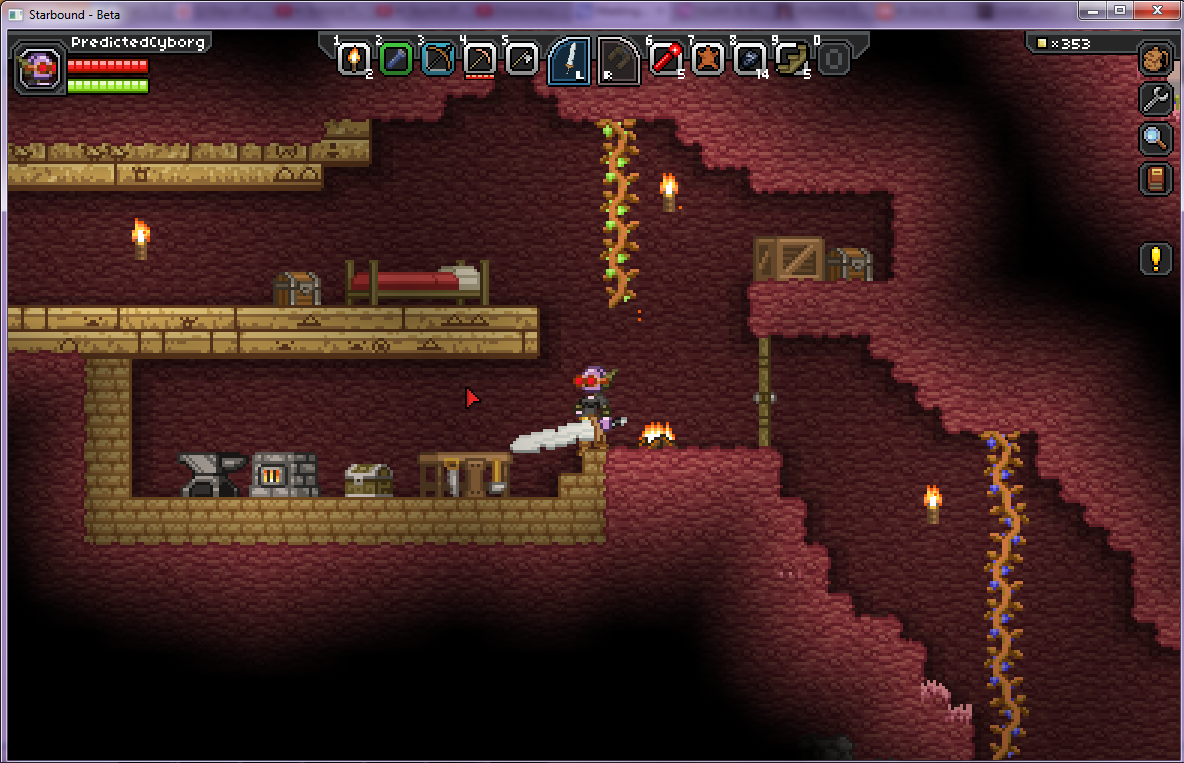
First things first, Starbound has been called ‘Terraria in space’ and that’s actually a pretty accurate description, as the mechanics of the game are similar and it is also a singleplayer/multiplayer game. The game sees your character, chosen from six different species and customised to your liking, having fled your homeworld and coming to a stop above a planet in your now fuelless spacecraft. You beam down and begin to mine for and craft resources to allow yourself to survive and eventually refuel your ship so you can go to other places in your solar system and eventually other systems and even galaxies. Each planet/moon’s creatures are also customly generated with random body parts and colour palates and most will try to attack you. Fortunately among the items you are given for starting (stored in your ship’s locker) you will get a sword of some kind so you can at least fight back. The other main item you get is a matter manipulator which can do pretty much all mining and tree chopping you need done, but at a much slower speed than if you were using a tool made for that purpose. Your character has a decently sized inventory and a hotbar with 10 slots plus a bonus two L and R slots in the middle for your most important and often-used tools, and survival depends on keeping a ‘body temperature’ bar and a hunger meter topped up to avoid death.
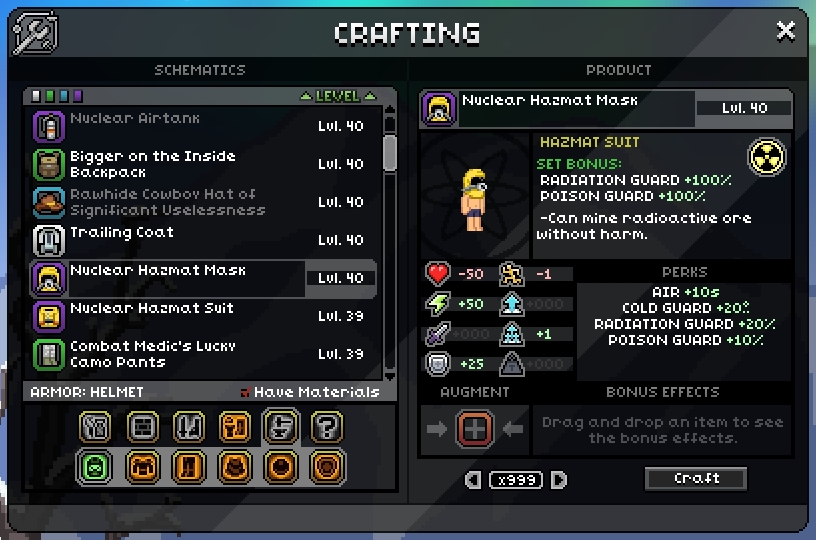
Having played Terraria many times before I must say that I find Starbound’s crafting system somewhat easier, because if you know what you want to make you can search for the item and discover exactly what you need to build the item. This does however depend on if you’re highlighting the relevant item to craft it, if it needs such an item (e.g. iron anvil, crafting table etc.). Interaction with most items and NPCs is done this way, highlighting the item or NPC in question and then using the E button to interact with it/them. Z will switch between whatever two items you have placed into the L and R (I’d recommend the matter manipulator and whatever weapon you prefer using) and X will switch from number inventory items to the LR slot items and back again quickly. Shift will also allow for more precise mining, switching from the 2×2/3×3 block your mining tool does by default to a single block wide each way.
Right now the game is, as mentioned at the beginning, in an early Beta to all pre-orderers. This means that developer Chucklefish are releasing new patches often and already there’s been one ‘wipe’ update, the latest one: Annoyed Koala which has been called ‘the first balance patch’. With this new patch a lot of bugs have already been fixed, including reprogrammed monster AI to make them ‘smarter’ and stop them getting stuck so often, a total overhaul of the levelling system, the beginnings of ‘creature capture’ (you have three pet slots on your character screen and these I look forward to filling one day), a new galaxy sector, added plenty of new items, among them a Grappling Hook (which makes me very happy as it was such a useful item in Terraria) and plenty more.
Starbound is available for PC, Mac and Linux and the full version of the game will be coming in 2014.
Starbound is available right now to buy as a pre-order from Chucklefish’s site:








![Godzilla [2014]](https://www.sanitarium.fm/wp-content/uploads/2013/12/Godzilla-2014.jpg)